
AI summary
A useful content map starts with buyer questions, then connects existing assets, supporting evidence and the next useful destination. Map one audience and buying situation before expanding across the whole library.
- Research before filling boxes: Separate observed needs from proposed questions. Include the different people involved in a purchase and record where your understanding comes from. A funnel label alone does not establish what someone needs.
- Prioritize the missing answer: Open existing assets and assess whether they resolve the specific uncertainty. Improve or connect useful material before commissioning another article. Assign evidence requirements and an owner to gaps that merit new work.
- Keep the journey flexible: Offer relevant explanations, proof and conversations without forcing every visitor through the same path. Review the map against customer questions and published outputs, then adjust priorities when the evidence or offer changes.
A content mapping template connects a specific audience's questions with the assets that answer them, the evidence those assets need and the next useful step. It helps a team see where readers can move forward and where information is missing. Begin with one buying situation, then map existing content before commissioning more.
A library can contain dozens of awareness articles and still fail to explain who must approve a purchase, what implementation involves or how options differ. Counting assets by funnel stage will not necessarily expose those gaps.
My recommendation is to make buyer questions the rows of the map. Attach content to those questions afterwards. This keeps the exercise focused on decisions rather than filling boxes with formats.
HubSpot's content mapping guide organizes content around personas and stages of the buying journey. The template here adds an explicit evidence requirement and next question, so the map can guide both publishing and useful connections between pages.
Download the editable content mapping worksheet. The completed examples in this guide are hypothetical planning examples, not findings from customer research. Replace them with your own interviews, sales conversations and approved product knowledge before treating the map as a description of real buyer behavior.
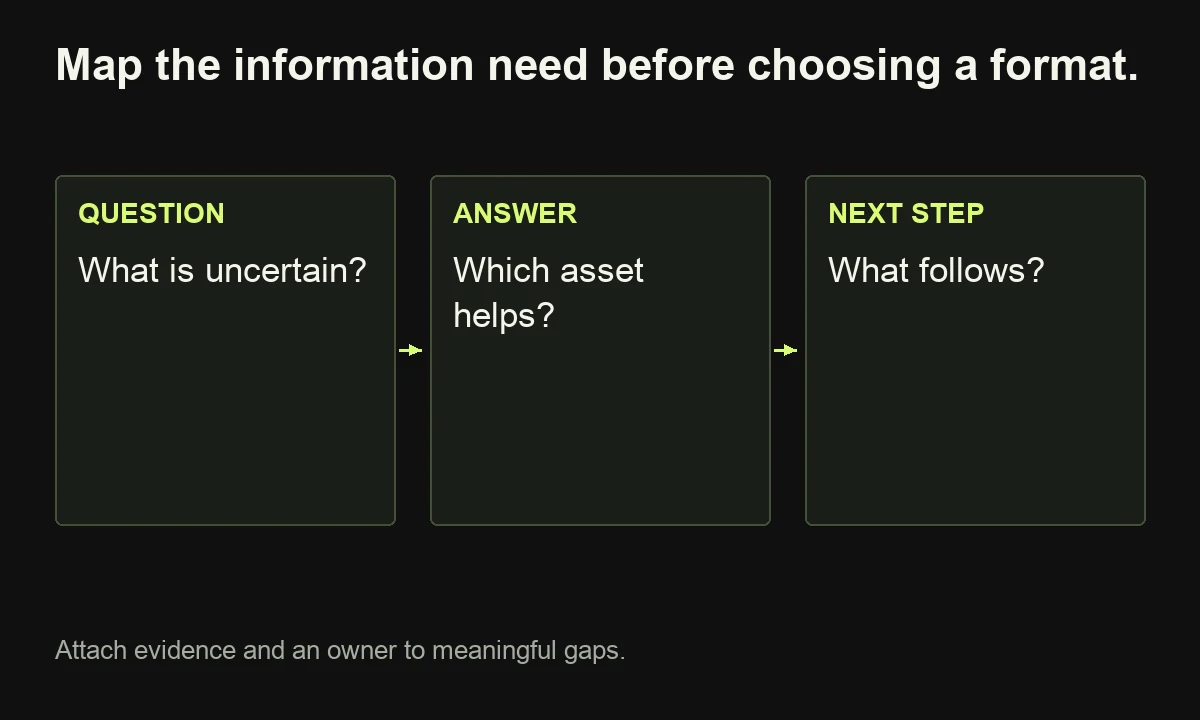
Start with one audience and one buying situation
Define whose problem you are investigating and what has made it important. “Business decision-makers” is too broad to guide content. “An operations lead investigating recurring reporting errors before a system review” gives the team something concrete to research.
Separate the people involved. A user may need to understand daily work, an implementation owner may need dependencies and a budget owner may need scope and responsibilities. Do not assume one persona captures every concern.
Use your ideal customer profile and buyer personas to clarify those differences. Then ask customer-facing colleagues which questions recur, where conversations stall and what information people request before progressing.
Nielsen Norman Group's journey-mapping guidance emphasizes research, defined scope and ownership. A content map is narrower than a complete customer journey map, but the same discipline matters: distinguish observed questions from assumptions and give identified gaps an owner.
For the first version, record a source beside each important question. That might be a customer interview, a support pattern or a documented sales objection. Mark a proposed question as a hypothesis until you have evidence for it.
You are building a working model of information needs. People may revisit questions, share material with colleagues or enter the journey halfway through. The map should accommodate that behavior rather than enforce a fixed reading order.
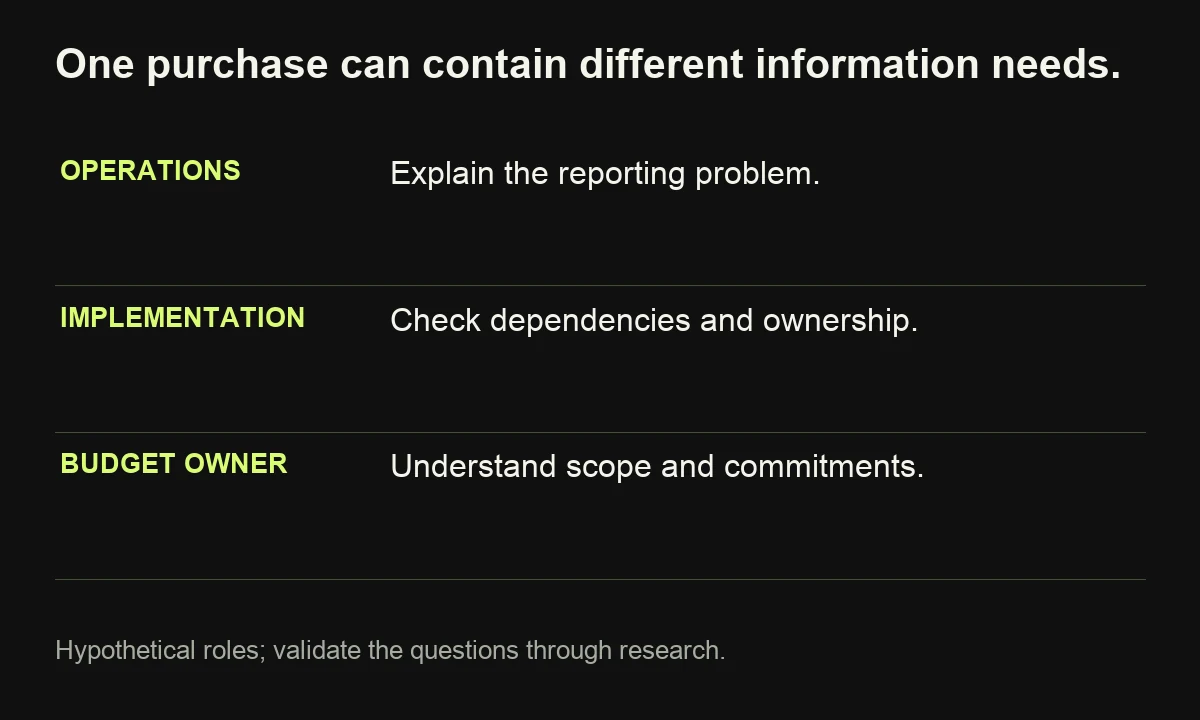
Use these fields in your content mapping template
Keep the sheet small enough that people will maintain it. Start with one row per question, then link more than one useful asset when the question needs different levels of detail. A single asset can appear in several rows if it genuinely supports several tasks.
| Field | What to record |
|---|---|
| Audience role | Who needs the answer |
| Situation | Why the question matters now |
| Buyer question | The uncertainty to resolve |
| Evidence source | Where the question or requirement came from |
| Existing asset | The page, document or video that answers it |
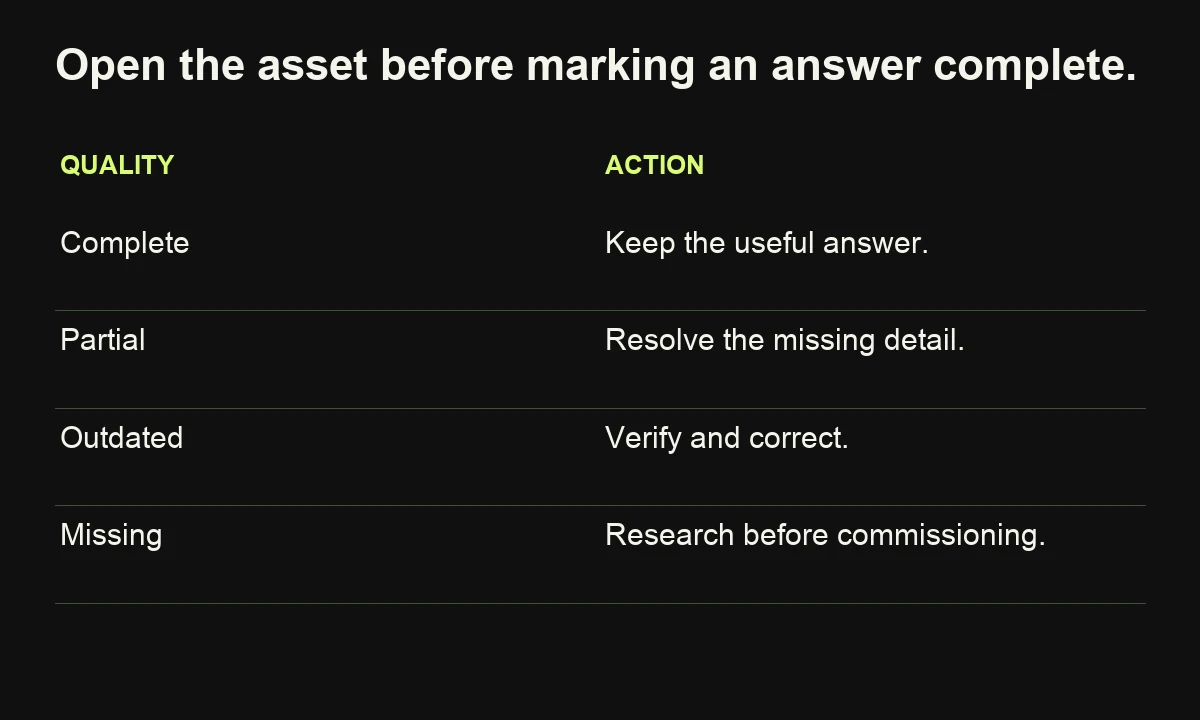
| Answer quality | Complete, partial, outdated or missing |
| Proof required | What supports the answer |
| Next question | What the reader may need afterwards |
| Next destination | The relevant resource or conversation |
| Action and owner | Keep, improve or create, with responsibility |
Do not mark an asset complete because its title contains the right words. Open it and check whether the explanation helps the specified role in that situation.
A technical integration overview might answer “Can these systems connect?” while leaving “Who configures and maintains the connection?” unresolved. Those are different questions even when the same page could eventually answer both.
Record that distinction before adding another article to the calendar. Sometimes one clarified paragraph or a better link is the appropriate action, rather than a new content project.
A worked B2B content map
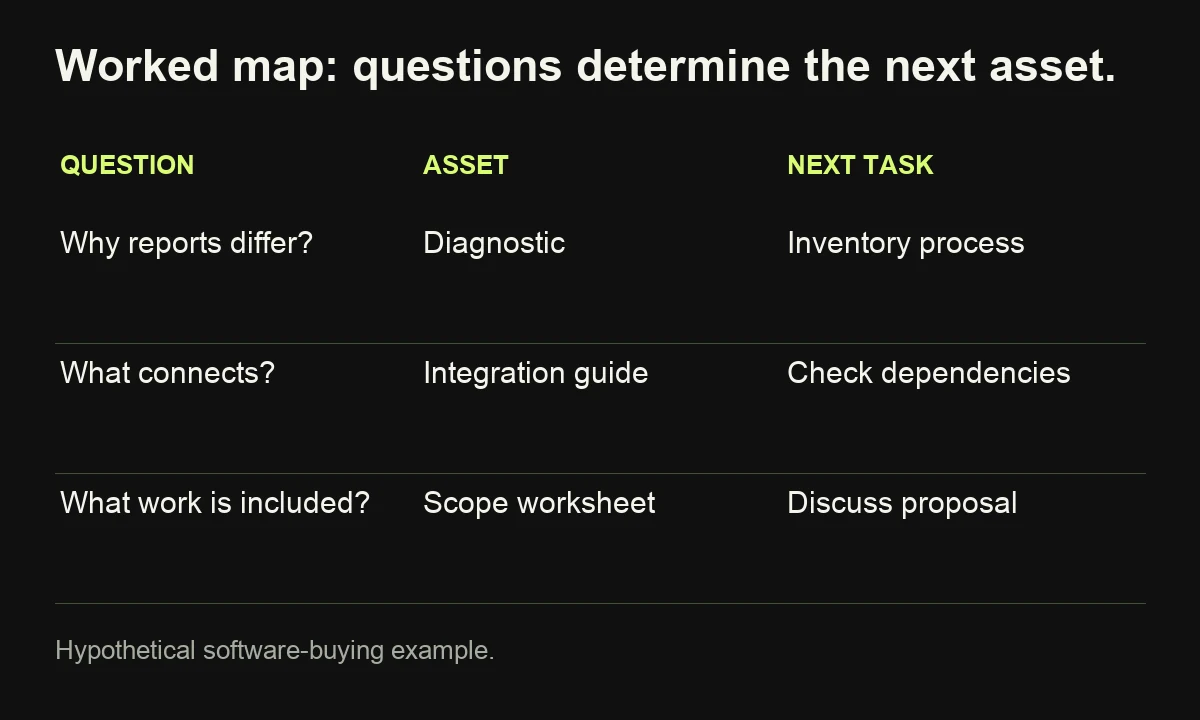
Imagine a software business helping teams improve recurring reports. This example maps three information needs for the same potential purchase. The questions are proposed research prompts; no particular product capability or customer outcome is being asserted.
| Role and question | Useful asset | Evidence needed | Next useful step |
|---|---|---|---|
| Operations: Why do reports disagree? | Diagnostic guide | Verified examples of possible causes | Inventory the current process |
| Implementation: What connects to what? | Integration overview | Supported systems, conditions and ownership | Review dependencies |
| Budget owner: What work are we committing to? | Scope worksheet | Included work, exclusions and responsibilities | Discuss a bounded proposal |
Notice how the map changes the production decision. If the diagnostic guide exists but does not explain its limits, improve it. If integration information is current but difficult to find, connect it to the relevant explanation. If scope questions have no answer, investigate them before writing promotional copy.
The output is a priority list with a reason for each action. It is also a test of your claims: a confident promise should not replace missing implementation evidence.
Use the content brief template when a gap needs a new assignment. Include the exact buyer question, evidence owner and intended next destination from the map so that strategy survives the handoff into writing.
Connect the answers without forcing a funnel
Add links where the destination answers a plausible next question. Explain what the reader will find there. “See the integration responsibilities” is more useful than a generic “learn more” when ownership is the unresolved issue.
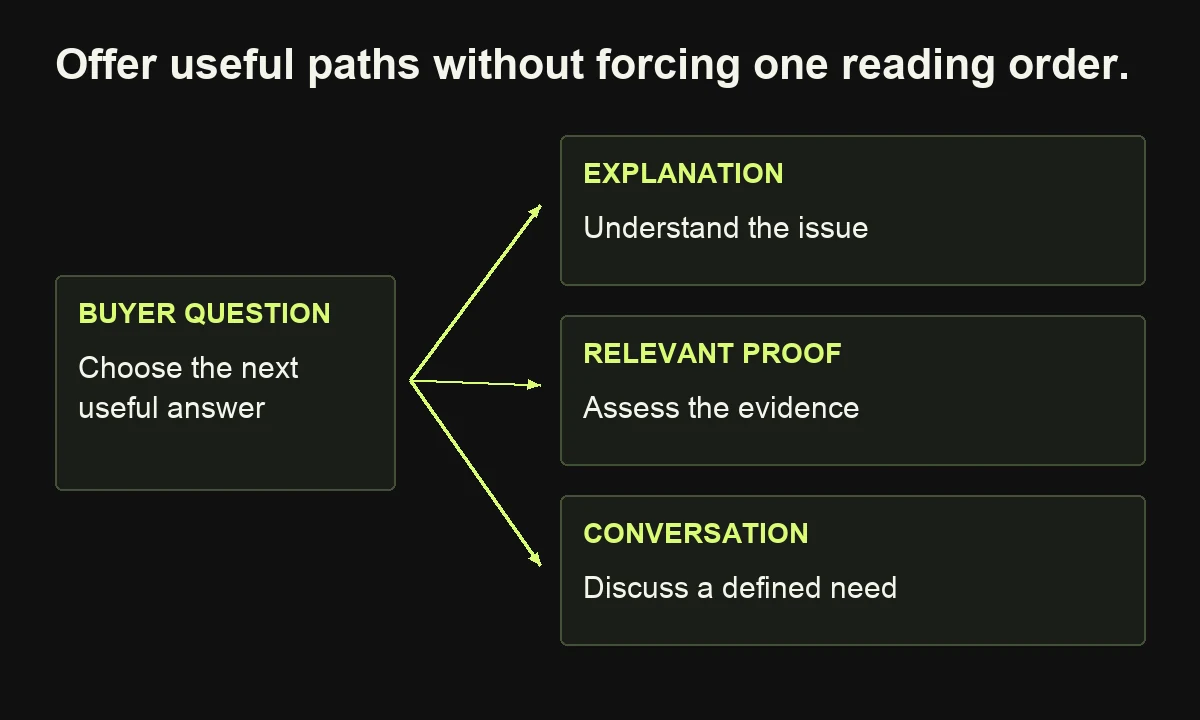
For a reader still diagnosing the problem, the next destination may be a checklist. For someone comparing support, it may be a relevant case study. A buyer with a defined requirement may be ready for a conversation. All three paths can coexist.
Avoid making every resource lead immediately to a sales form. Also avoid hiding a useful service page simply because a diagram labels the reader “awareness.” The map is a planning model; it cannot determine a person's actual readiness from one page view.
Use the internal linking guide to connect explanations, proof and services thoughtfully. Check that linked examples support the nearby claim and that the anchor describes the destination accurately.
When a buying group needs to share content internally, make the answer understandable without the original conversation. Include the context, conditions and responsibilities that colleagues need to assess relevance.
For answer engines and AI discovery, this also improves clarity: an isolated explanation should state what it applies to. Clear wording helps readers evaluate it, but does not guarantee that any platform will index, rank or cite the page.
Review the map against real conversations
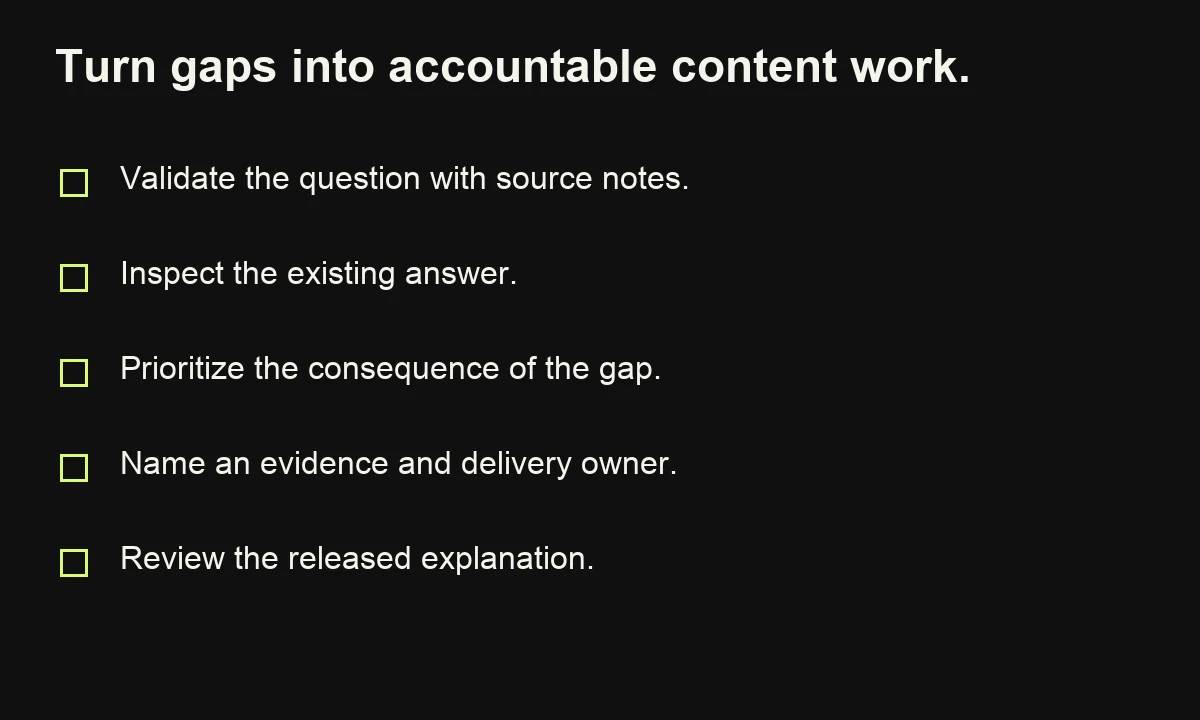
A useful content map should change what the team produces or improves. Review the proposed gaps with sales, support and the relevant subject expert. Ask whether each question is real, whether the existing answer is adequate and which missing explanation blocks a meaningful decision.
Prioritize business relevance, evidence availability and the consequence of leaving the question unanswered. Search demand can inform the order, but a public traffic estimate does not tell you how often an implementation issue delays a specific buying conversation.
Choose a small first batch. Assign an owner, a review condition and a sensible delivery date to each action. Keep the original question alongside the work so that “improve scope explanation” does not drift into “publish another generic benefits article.”
After release, inspect whether the promised links and explanations exist. Collect questions from readers and customer-facing teams. Distinguish a documented observation from a general impression that the content “worked.”
AI can help cluster supplied questions or suggest possible overlaps. Check its groupings against the source notes; similar language can conceal different decisions. Keep responsibility for priorities with the people who understand the business and evidence.
If your library feels busy but buyers still cannot find the answers they need, tell me which conversations keep repeating. I can help research those needs and turn the map into clear content direction.
Quick questions
How is content mapping different from a calendar?
A map connects questions and answers. A calendar schedules production or distribution.
Must each funnel stage have the same number of assets?
No. Cover meaningful information needs. Equal counts do not prove that buyers have what they need.